Vox Premium Usage Wiki
Official documentation & deployment strategies imported directly from tech archive servers.
Documentation Structure
1. Setup Overview 2. Configuration Guides 3. Security Settings 4. Advanced Troubleshooting01. Setup Overview & Environment Preparation
After downloading the file, you must extract it to your desktop.
- Run the launcher executable using administrator elevations.
- Ensure that your display adapters are configured to standard scaling templates without desktop zooming filters.

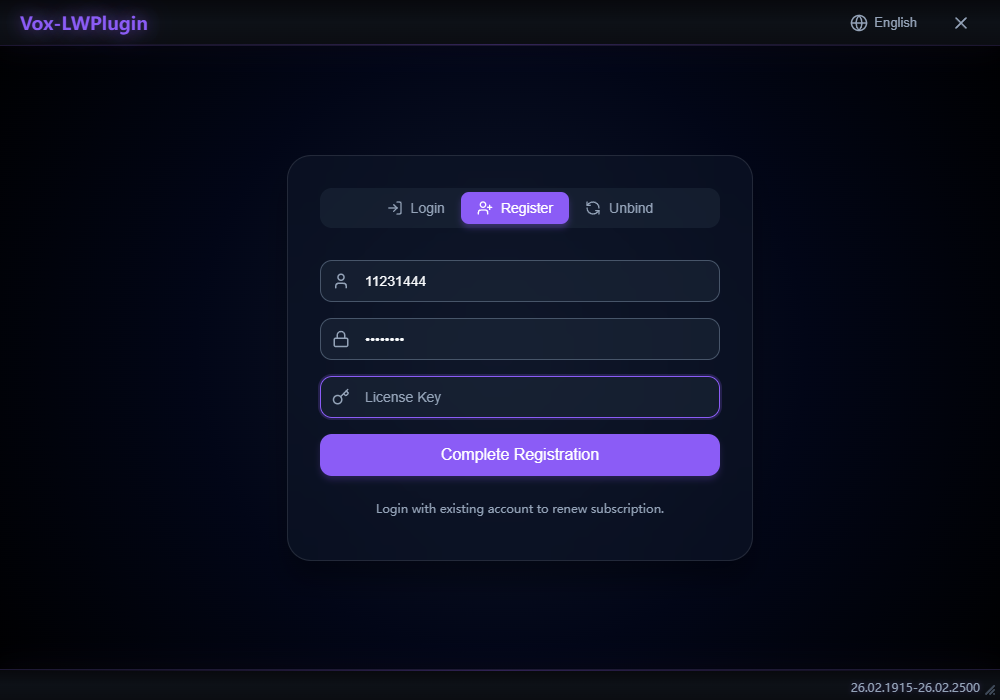
02. Register an account and enter the key you purchased
Register your account information and make sure to keep it safe! You can use your email or other identifiers as your account name. After filling in all the information, click Register only once. The page will redirect to the login screen, where you can simply click Log In.
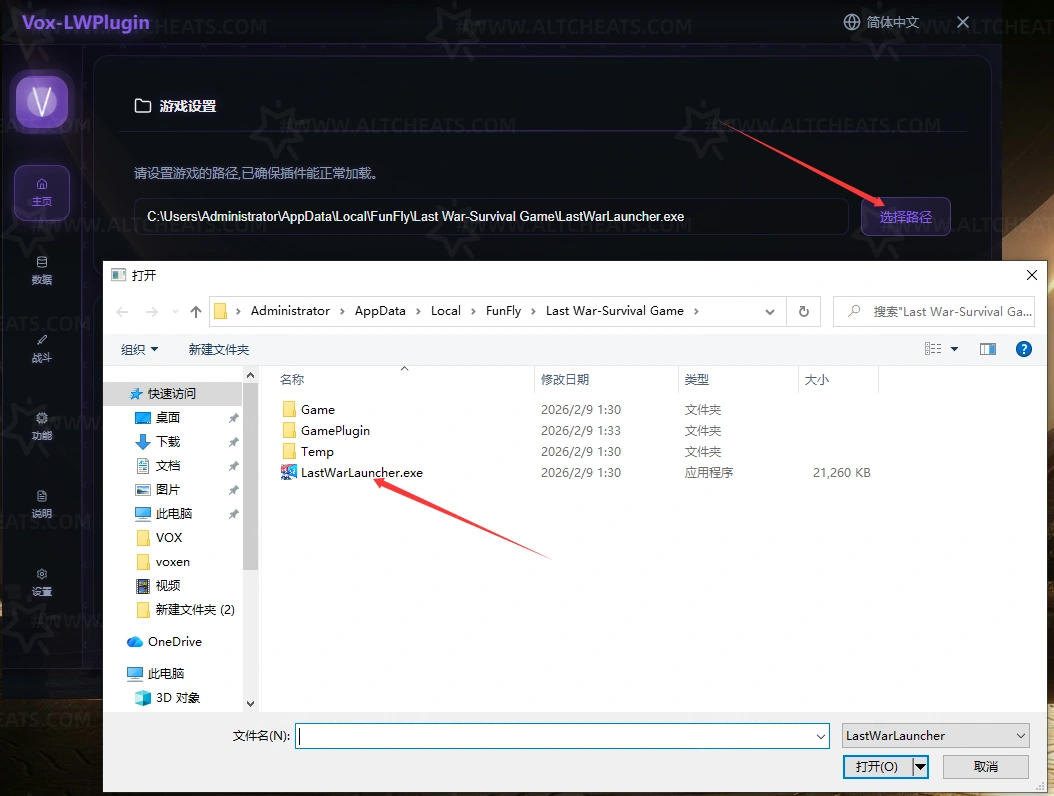
03. After opening it, select your game directory and click Launch Game!
🚨 Official Recommendations:
1. After selection is completed, you can click the Start Game button.
2. Upon entering the game, go to the world map first to load data. Do not perform rally or AFK operations until the progress bar reaches 100%.
04. How to switch computer devices.
🚨 Official Recommendations:
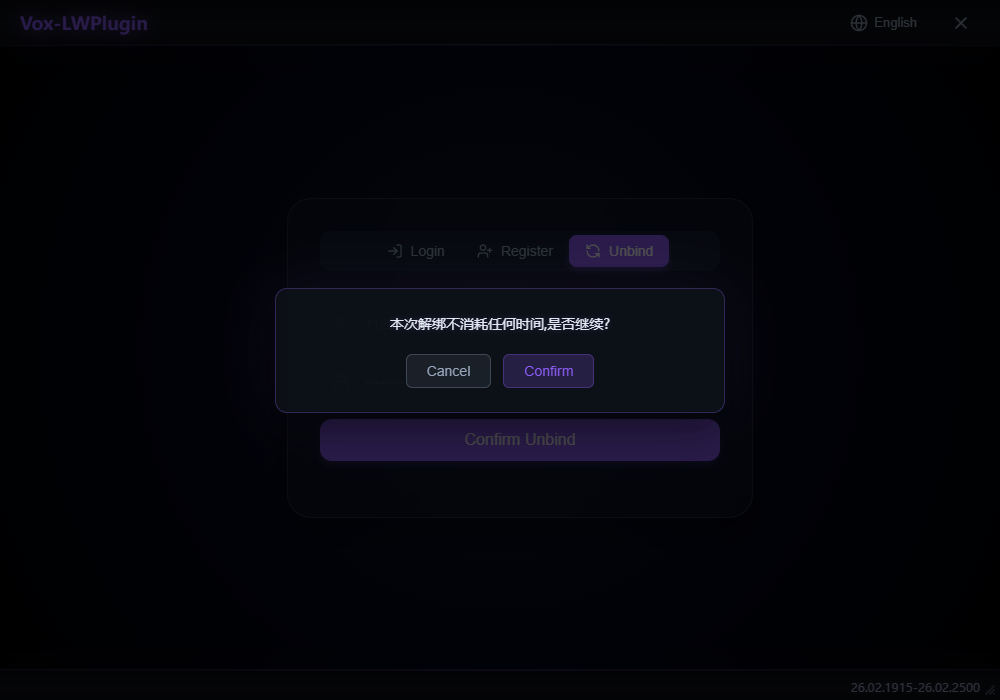
1. You only need to log in to your account on your new computer and click Unbind to switch devices.